Samsung Electronics Co., Ltd. has introduced a range of new education solutions for its Android-based Samsung Interactive Display lineup, designed to make shared classroom displays easier to personalise, manage and integrate into everyday teaching. The solutions were announced and showcased at ISTELive 26, a leading education technology conference hosted by the International Society for Technology in Education (ISTE) from 28 June to 1 July in Orlando, Florida.
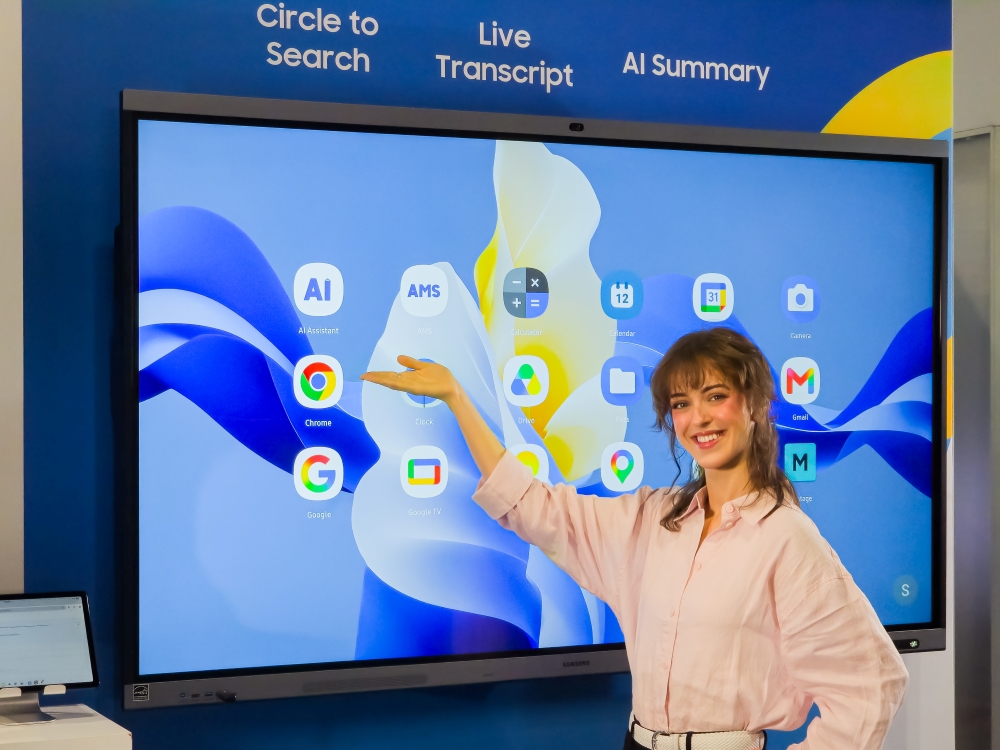
The new solutions reflect Samsung’s focus on providing practical digital classroom tools for teachers and school IT teams. According to Hyoung Jae Kim, Executive Vice President of the Visual Display (VD) Business at Samsung Electronics, effective digital classrooms require a balance of advanced hardware, intelligent software and intuitive user experiences. Samsung’s latest interactive display solutions combine AI capabilities and connectivity to support more flexible and connected learning environments.
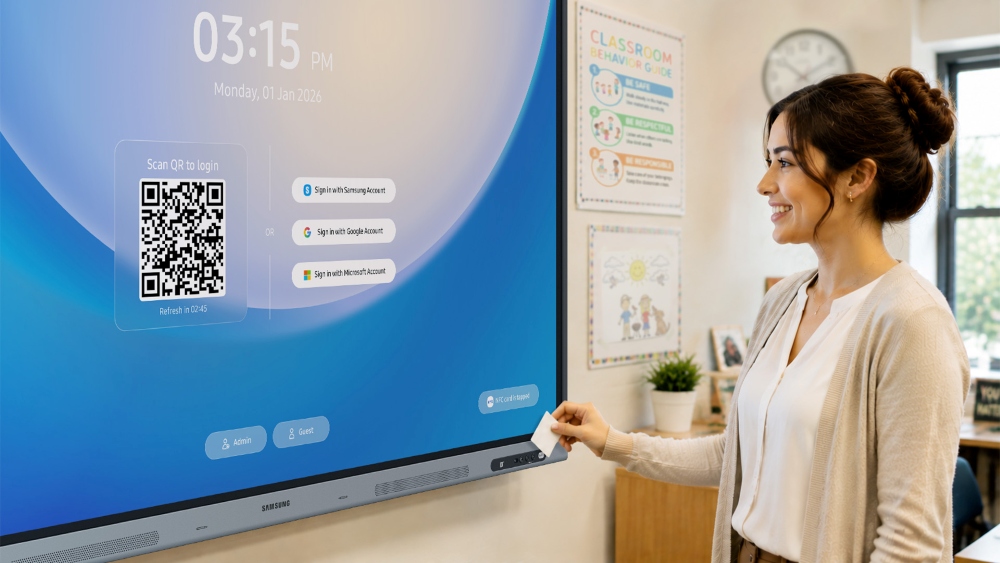
A key addition is Samsung Account Management Solution (AMS), which comes pre-installed on compatible Android-based Samsung Interactive Display models. Designed for classrooms where multiple teachers share the same display, Samsung AMS allows educators to access their individual accounts using a QR code or an NFC-enabled ID card, eliminating the need for local profiles tied to a particular display.
Through its Home Personalization feature, Samsung AMS enables cloud-connected teacher profiles, allowing educators to access their preferred layouts, wallpapers, bookmarks, app shortcuts, files and settings when signing into compatible displays in different classrooms. This provides teachers with a consistent, personalised workspace regardless of which classroom they are using. For additional privacy, teachers can also activate a screen lock when temporarily leaving the classroom.
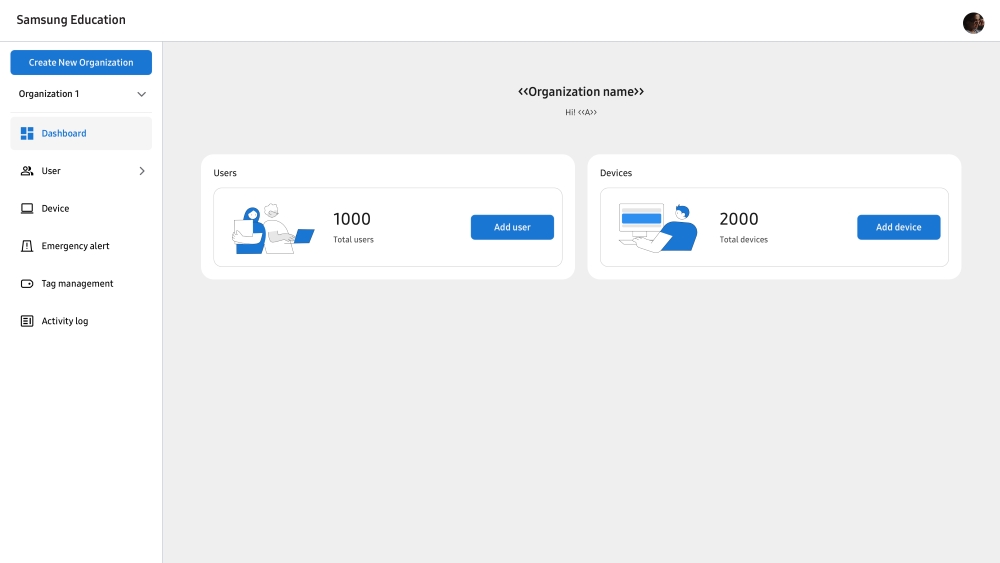
Samsung is also enhancing device management for school IT teams through the Samsung Education Portal. The platform provides a centralised location for registering teachers and enrolling devices, while NFC binding allows NFC cards to be linked to individual teacher accounts for convenient access to shared displays. IT administrators can also enable Samsung AMS on selected displays and manage account access according to school requirements.
The Samsung Education Portal further includes a Tags feature, allowing IT teams to organise displays according to schools, buildings or classrooms. These tags can also be used to support emergency communications by enabling schools to send preconfigured alerts to selected Samsung Interactive Displays through notification platforms such as InformaCast and Raptor.
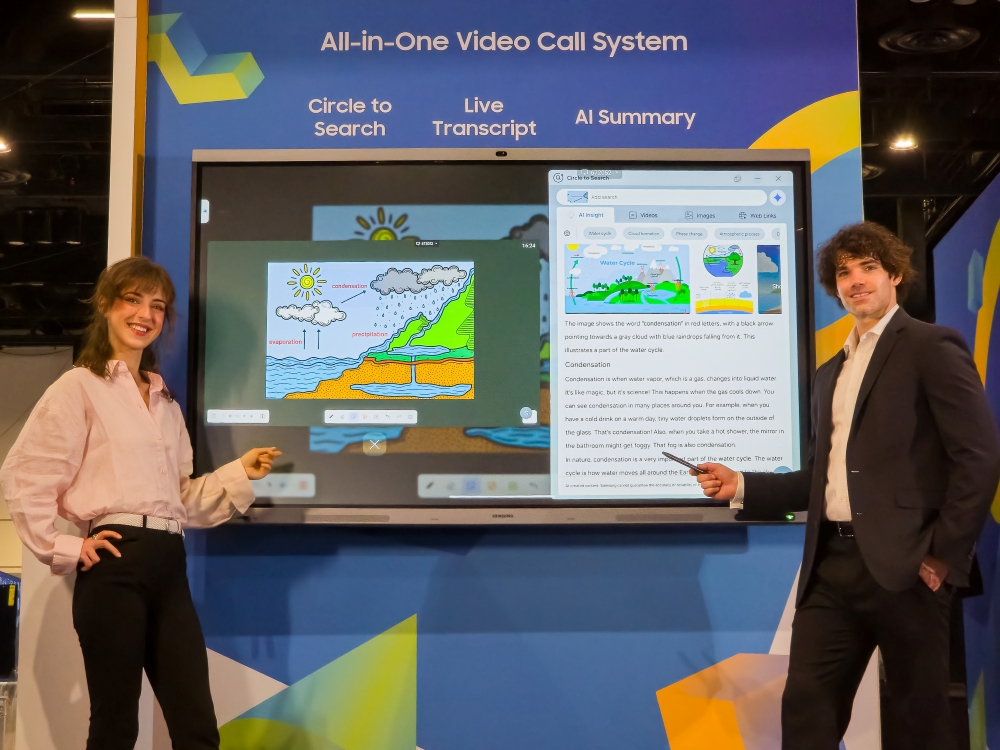
Alongside device and account management, Samsung is bringing AI-powered capabilities directly into the classroom through Samsung AI Assistant. Available on compatible Android-based Samsung Interactive Displays, the application provides tools for content discovery, transcription, summaries and quizzes, helping educators support student engagement, participation and comprehension.
One of the features, Circle to Search, allows teachers to circle text or images displayed on screen to find related information, visuals, videos and web links without leaving the interactive display. The information can then be used with other classroom applications, including Samsung Whiteboard, enabling teachers to incorporate additional resources into their lessons more efficiently.
For accessibility and inclusive learning, Live Transcript converts spoken classroom instruction into real-time text displayed on screen. This can help students with hearing impairments follow lessons more easily, while also providing support for multilingual learners.
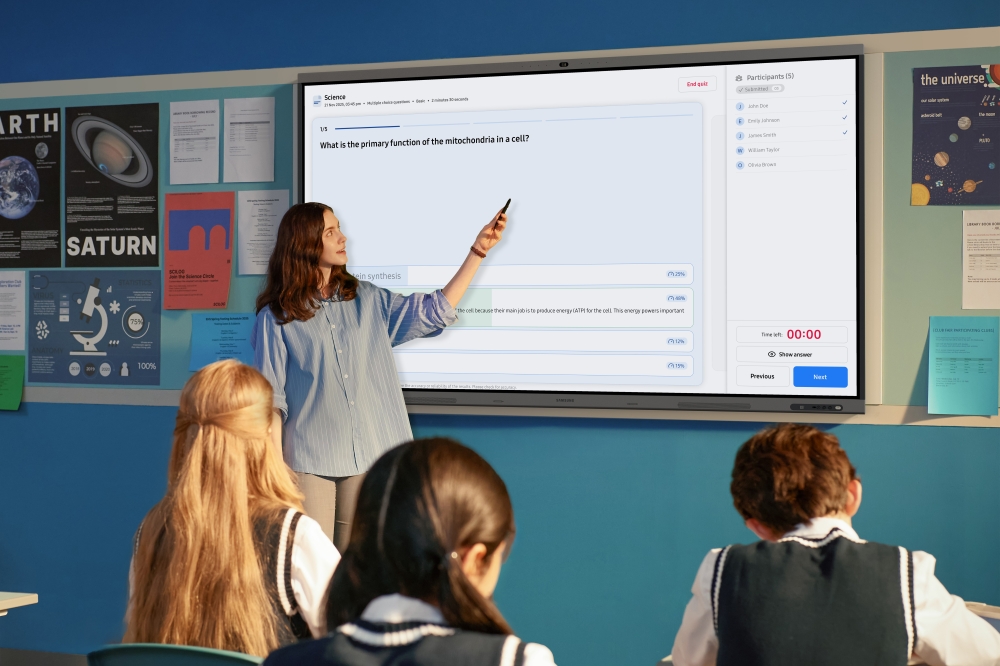
Samsung AI Assistant also features AI Summary and AI Quiz, designed to help teachers review lessons and assess student understanding. Based on recorded lesson content, AI Quiz can generate questions for real-time comprehension checks and provide teachers with information such as the overall correct-answer rate. Through Single Sign-On with Samsung AMS, educators can also return to previous lesson materials, including AI-generated summaries, without having to sign in repeatedly.
Samsung is further expanding its interactive display portfolio with three new models: WAF-S, WAFX-PS and WAHX-M, joining the existing WAF and WAFX-P series. The models support Samsung AI Assistant and Samsung AMS, while the lineup is also EDLA-certified, providing access to services such as Google Classroom and Google Drive to support connected learning experiences.
The WAF-S and WAFX-PS models build on their predecessors with an upgrade to Android 16, bringing improvements in usability, accessibility, security and privacy while retaining the core experience familiar to existing users. Meanwhile, the WAHX-M introduces a 98-inch option to Samsung’s Interactive Display portfolio, catering to larger learning environments such as lecture halls and conference rooms.
Available in 65-, 75-, 86- and 98-inch sizes, the WAHX-M also supports on-device AI features including voice commands, an AI calculator and text-to-speech, alongside Samsung AMS and Samsung AI Assistant.
Samsung AI Assistant is currently available following its April release, while Samsung AMS is scheduled to become available from July, together with related updates to the Samsung Education Portal. Through its combination of AI-powered teaching tools, personalised user experiences and centralised device management, Samsung’s latest interactive display solutions are designed to support schools as digital technology becomes increasingly integrated into modern education.
For more information, visit https://www.samsung.com/my/.